 ForgeDesk





ForgeDesk Free
€0
For your next three projects.
Git basics, files, tasks, detected commands and a terminal in every project. No account required.
Download Free
A developer’s cockpit. Forged for Windows.
From the first spark to the next release.
Git,
terminals, tasks and everything in between.
One
project. One window. Your flow.
Free to start · Pro €99 · Windows 10 & 11
Less switching. More making.
A place for the work that matters.
An idea goes in. Good work comes out.
Your tools should share your context. Open a project and bring its code, history, commands and next steps together. A dedicated window for each world you’re building.
Live demo
One project, one window: review a diff, commit, run your tests, build, and ship a release — without leaving ForgeDesk.
Before the first change, find your bearings. Turn a folder of files into a workspace you understand.
THE WORK BEGINS
Branch, changes, commands and tasks, all in context. Pick up exactly where you left off.
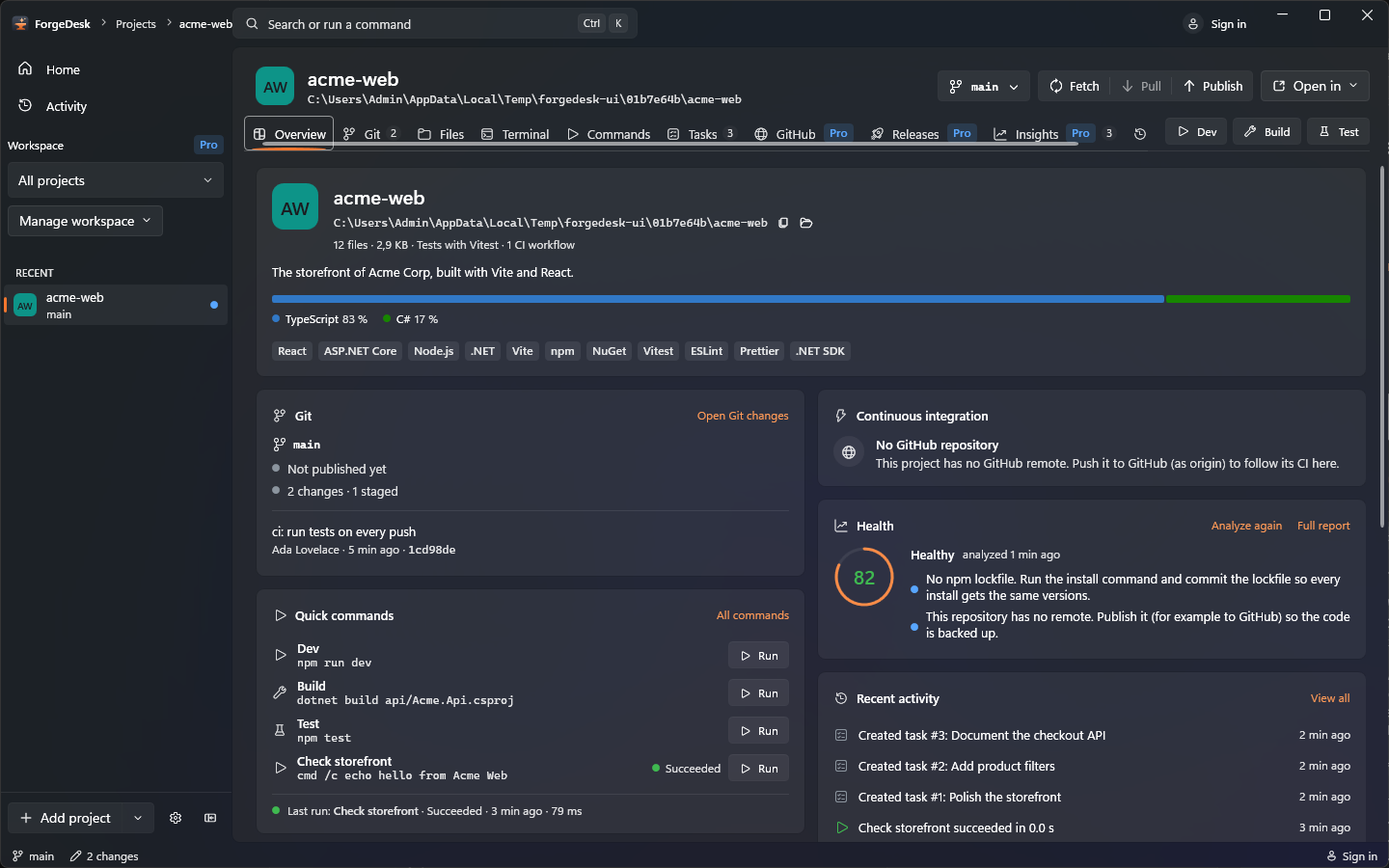
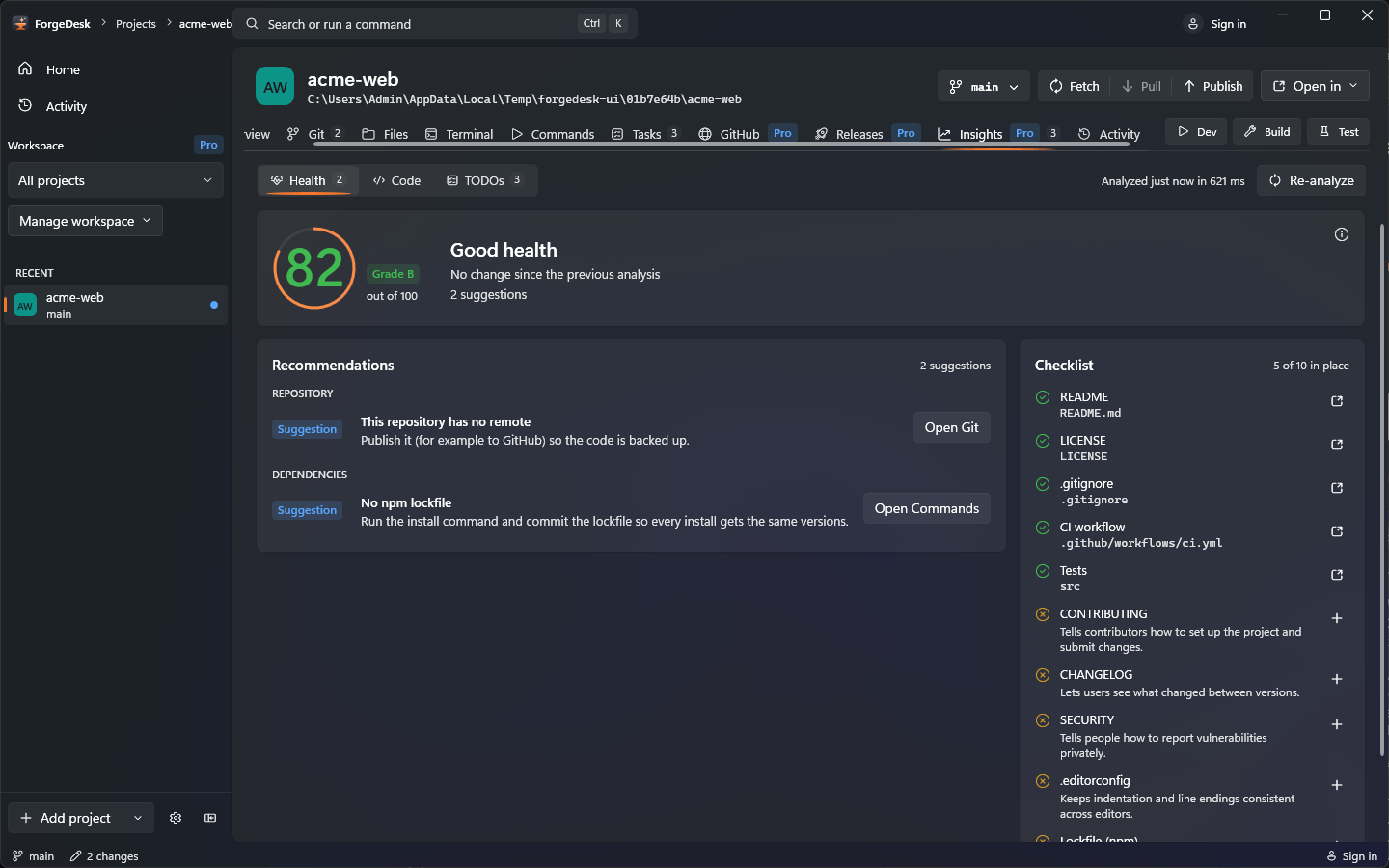
See project health, language composition and the TODOs worth a second look. All analyzed locally.
Great software is made one considered change at a time. Get close to the code and the history behind it.
 PRECISION IN EVERY STRIKE
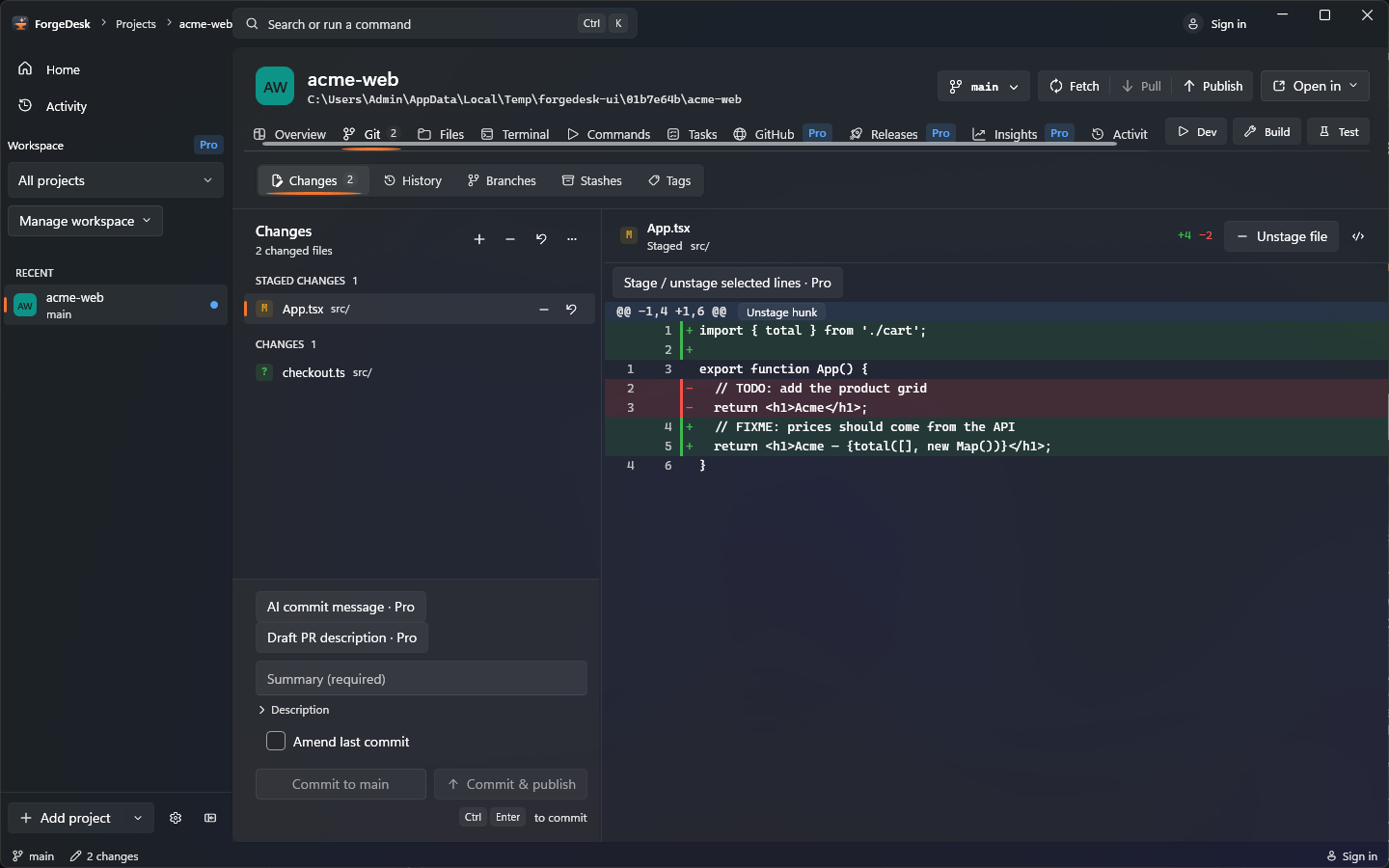
Follow the graph. Stage a hunk, switch a branch, keep a stash. Your history, with nothing hidden.
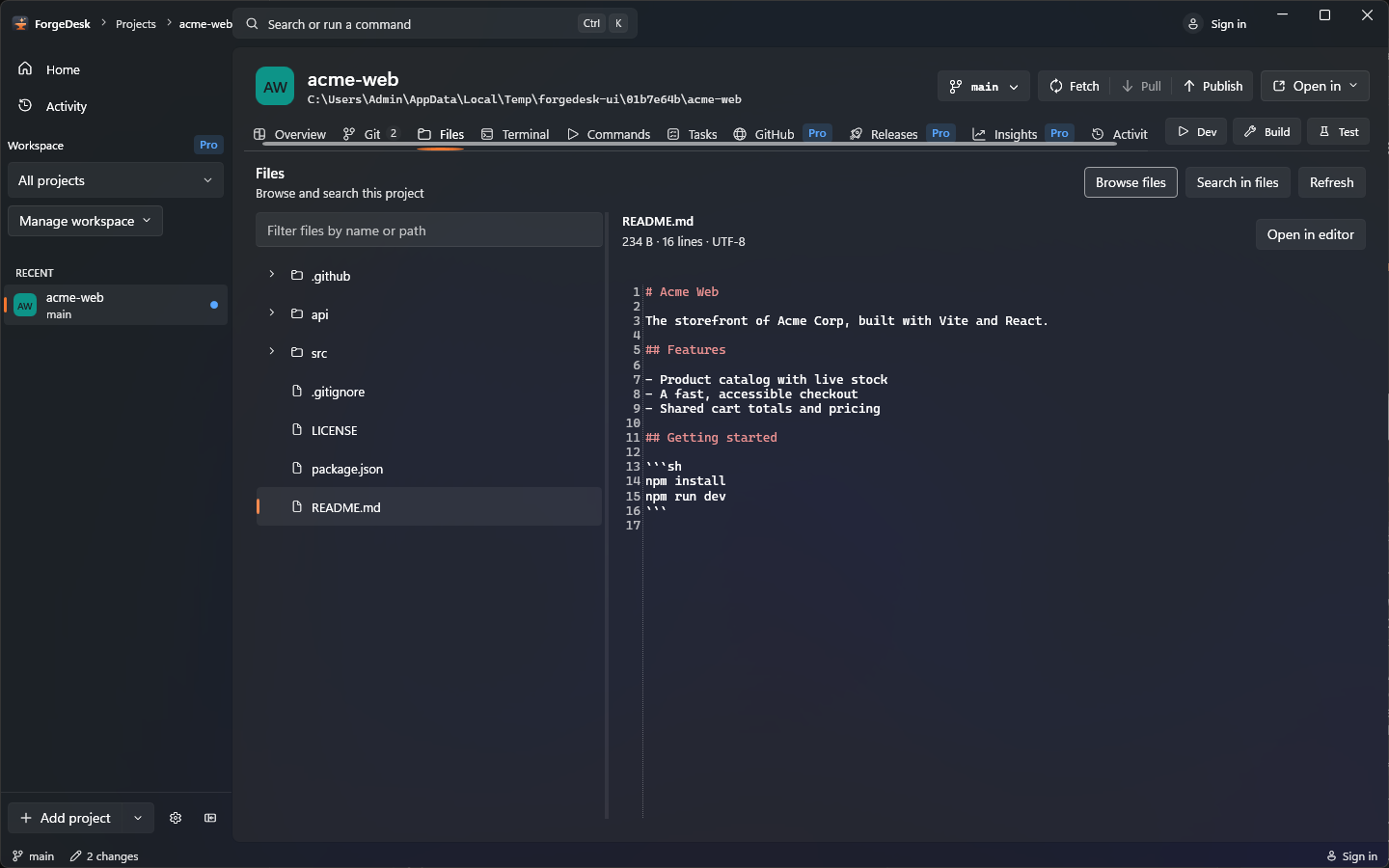
Browse the tree, preview a file or jump straight in with Ctrl+P. Search across the whole project.
Run it. Test it. Make the next move. Keep the tools that move your work forward within reach.
 BUILT THROUGH REPETITION
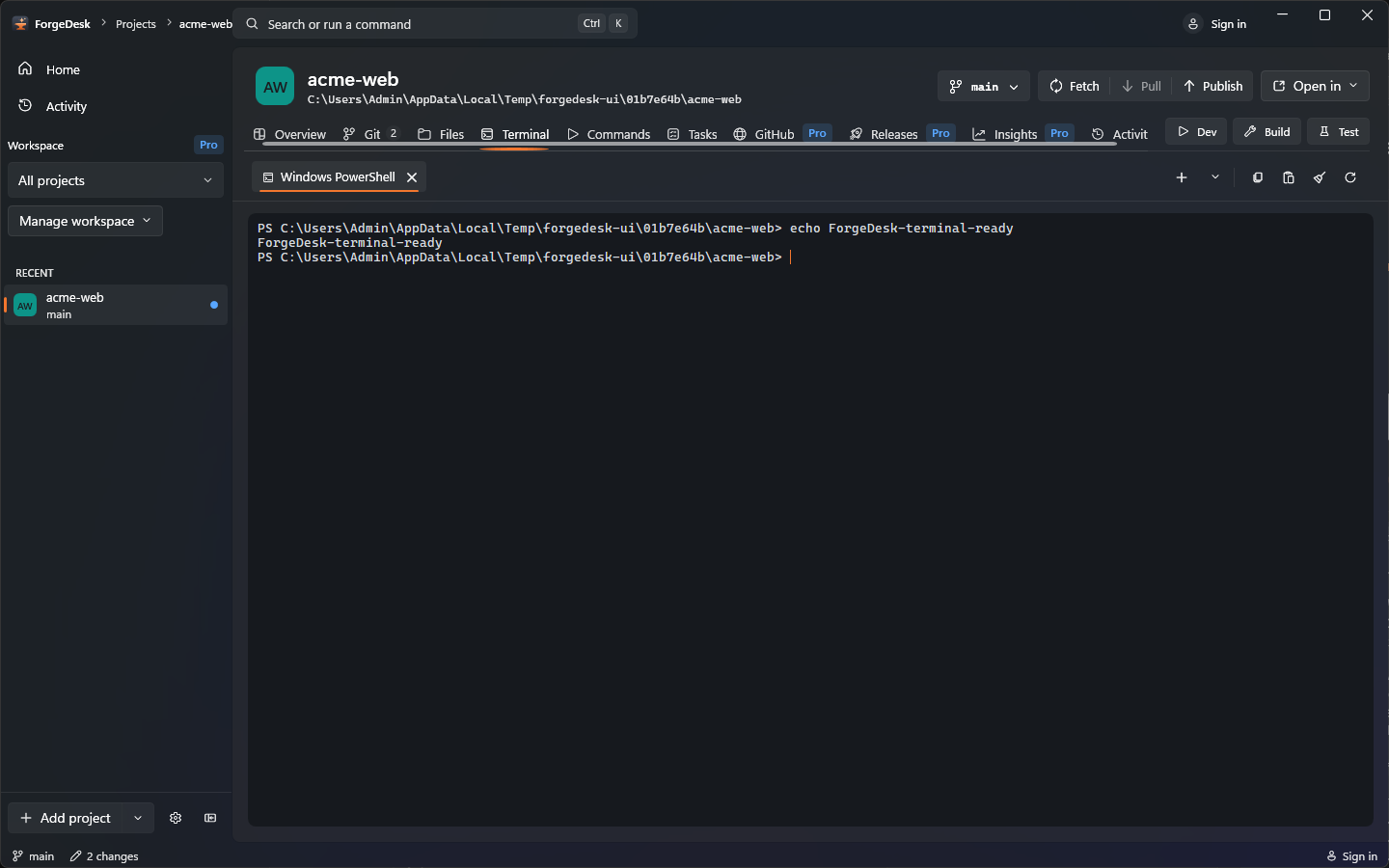
PowerShell, Git Bash and more in ConPTY tabs. Keep a build running while you move through your project.
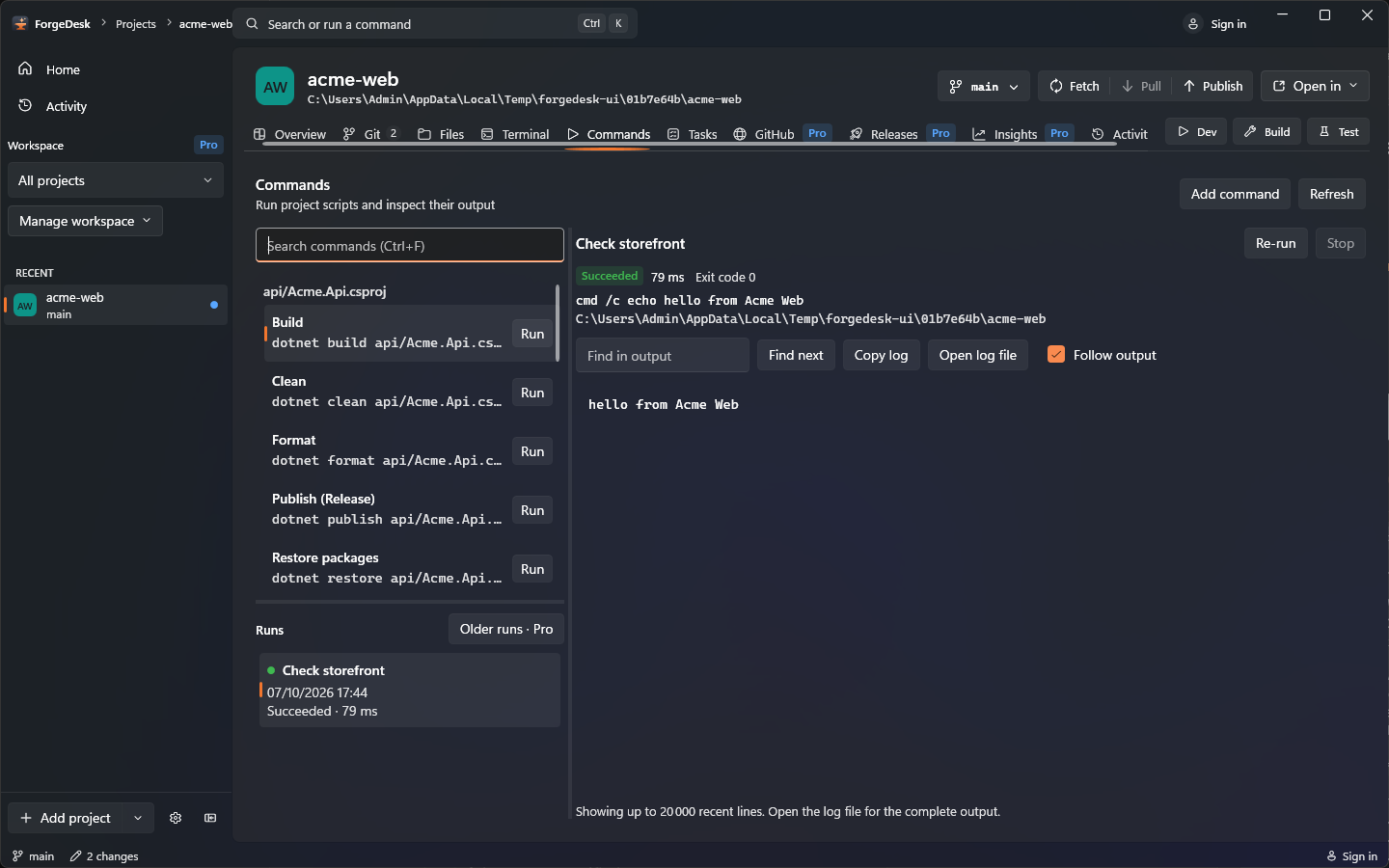
Run detected project scripts without digging through config. Follow live logs and revisit the run history.
Give each project its own board. Switch to a list, track the small things and keep work moving.
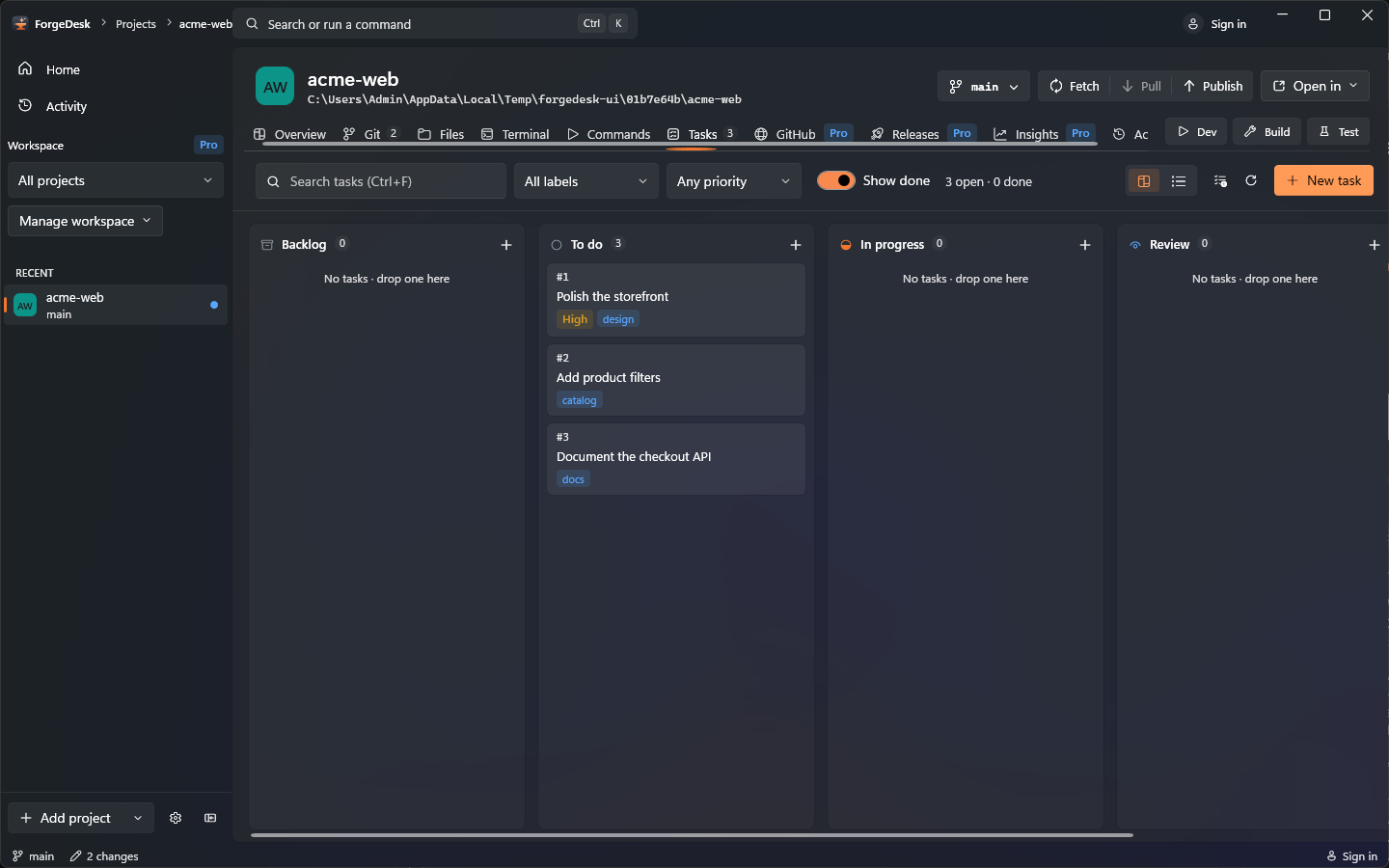
Bring the team into the loop, then put your work in their hands. From review to release, stay in the same workspace.
 FROM YOUR DESK TO THE WORLD
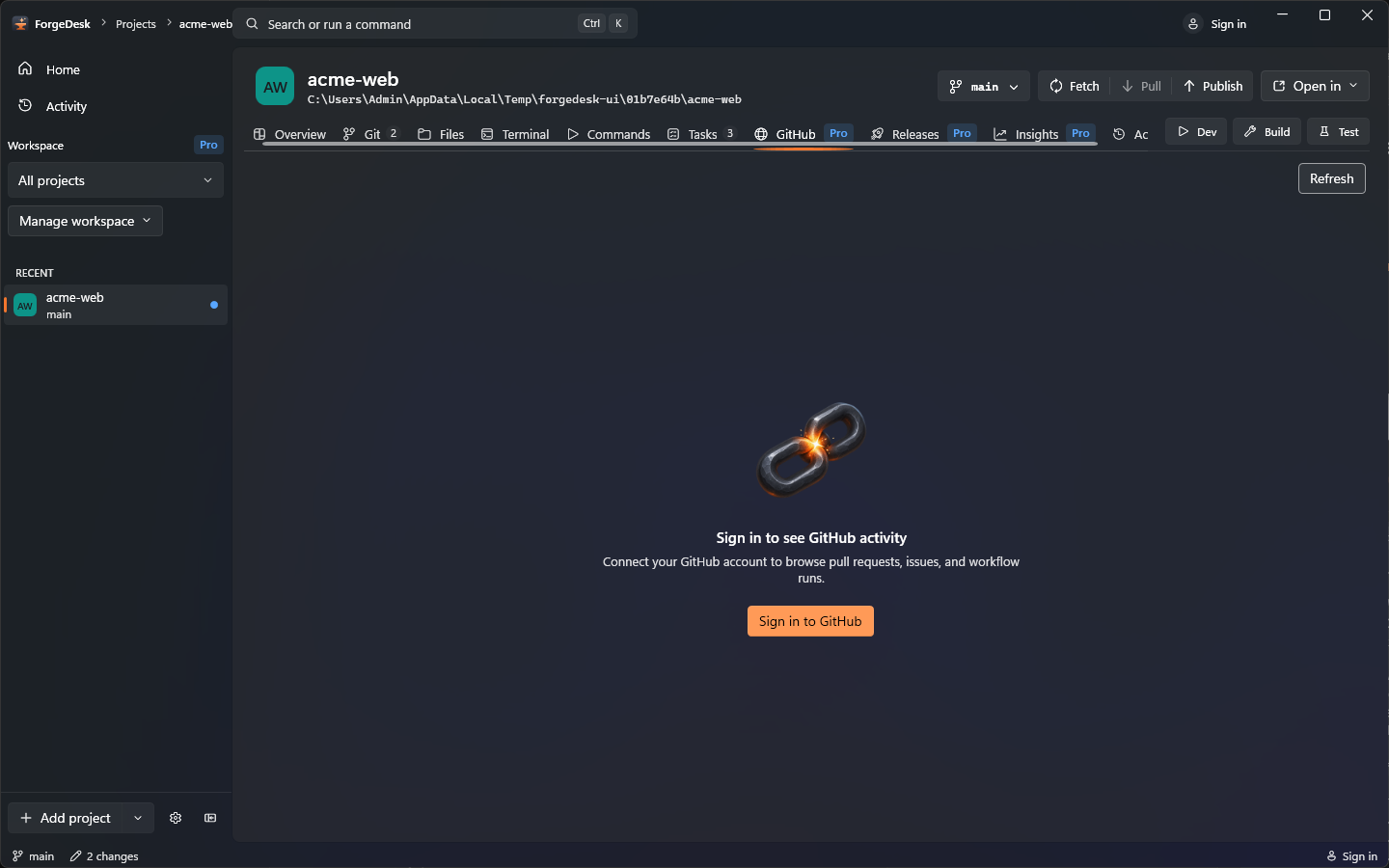
Pull requests, issues and Actions in your workspace. Check what needs attention without losing your place.
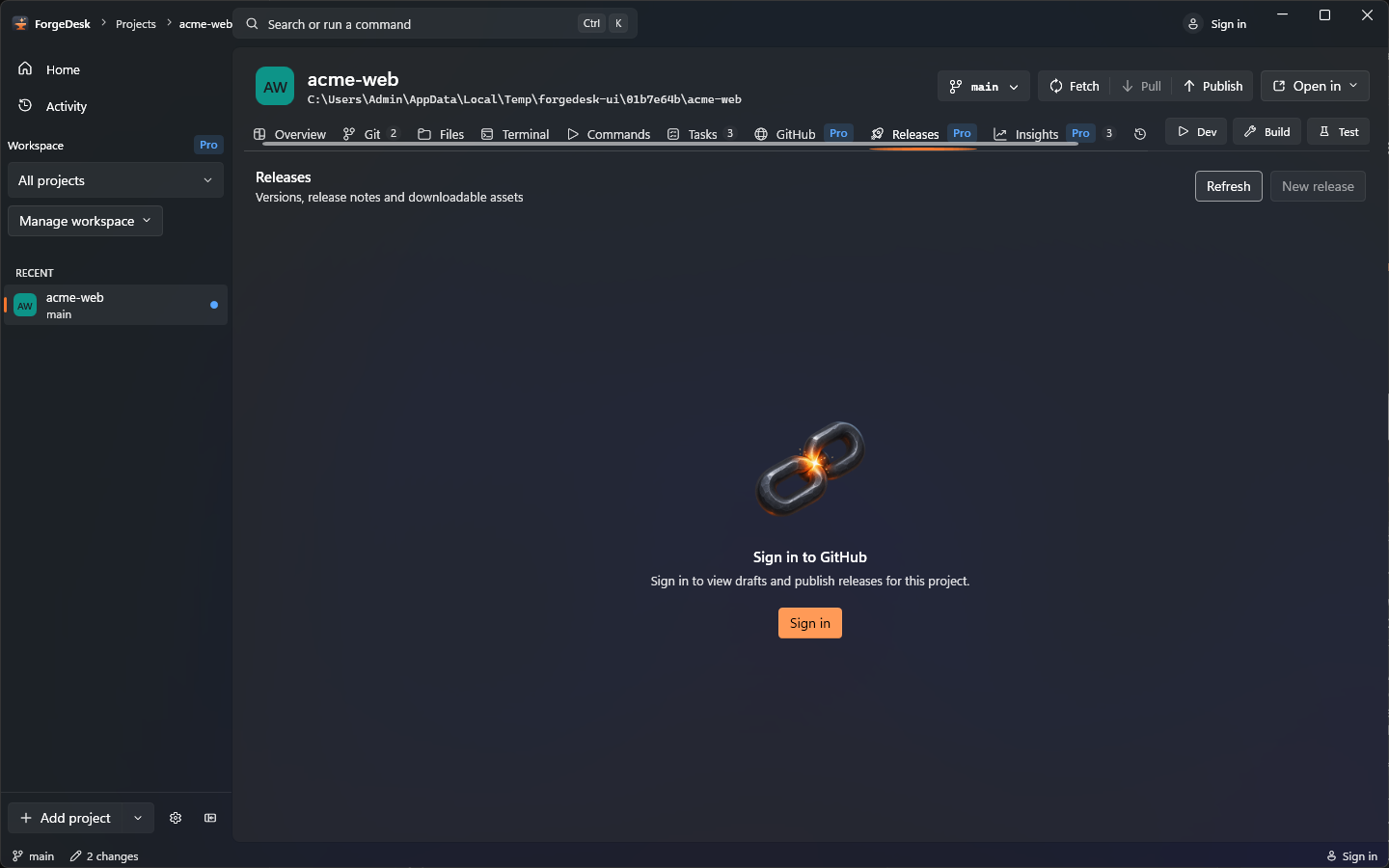
Move from version to release with a guided flow. Start your notes from commits, then make them yours.
Every project has a story. Keep its context close and its next action just a few keystrokes away.
 THE NEXT IDEA IS ALREADY GLOWING
Commits, runs and project events, in one timeline. Return tomorrow with the context you had today.
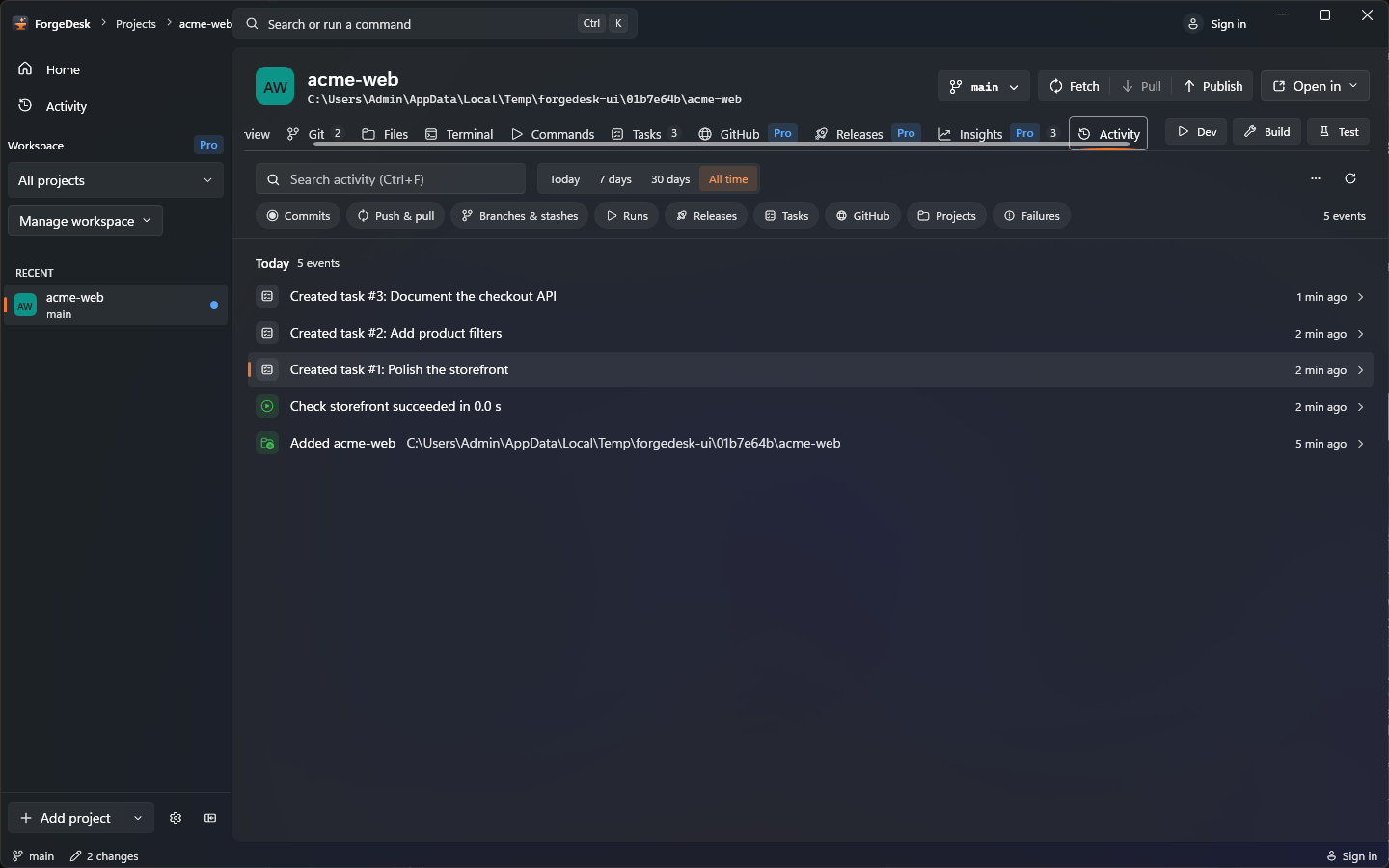
Press Ctrl+K to find a project, action, branch or command. Stay in flow, with your hands on the keyboard.
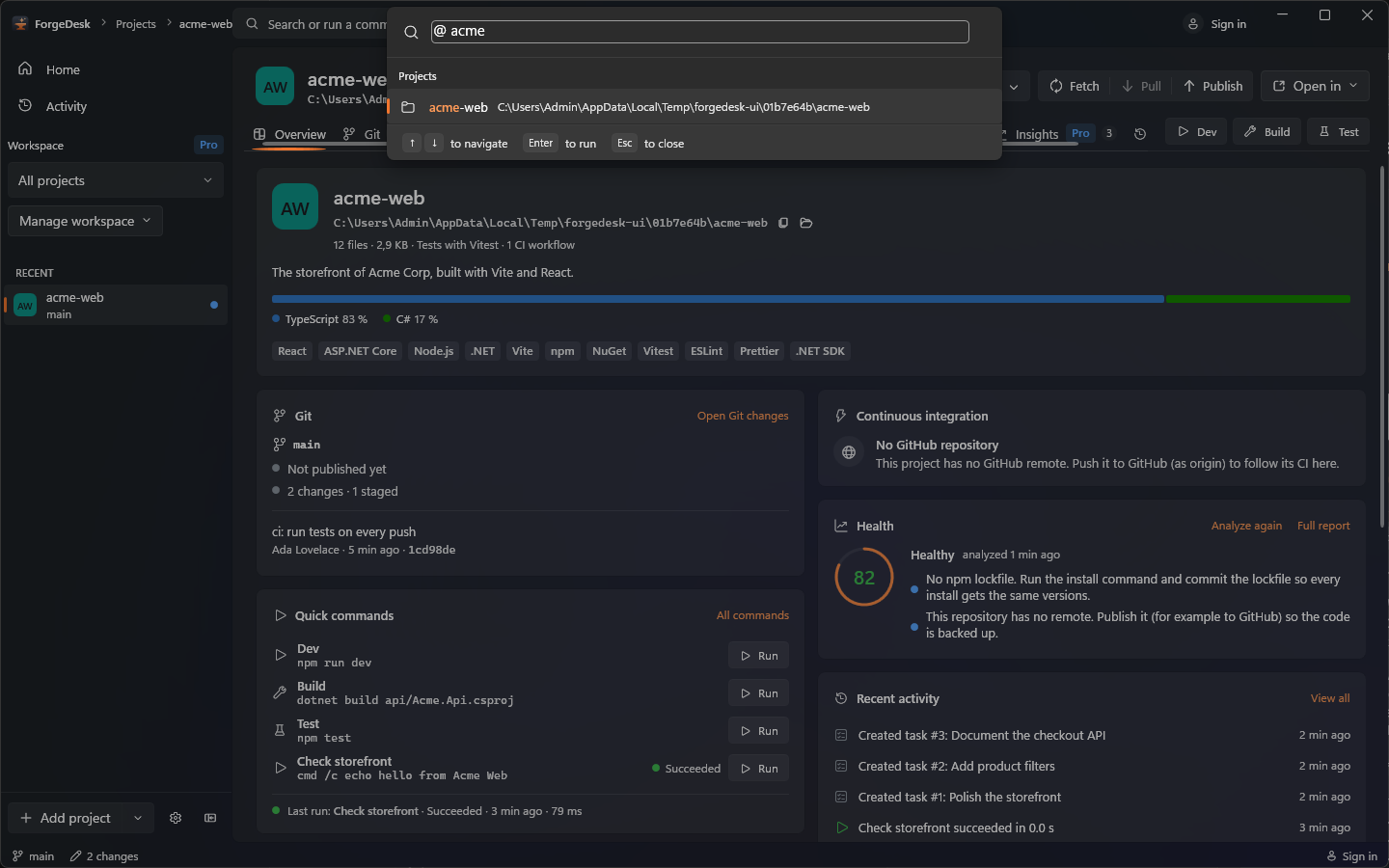
Keep your hands in the work
The distance between a thought and an action should be a keystroke. These are your new reflexes.
Command palette
Your next actionGo to file
Straight to the sourceSearch in files
Find the missing pieceOpen terminal
A shell, on demandCommit changes
Make it part of the storyMade for the machine in front of you
A real Windows app, built with C# and WPF on .NET 10.
Local
tools, familiar shells, and a workspace that feels at home.
Download installer Portable ZIP
Velopack update feed | Windows 10/11, x64
Room to build. Room to grow.
A useful daily workspace from day one. Upgrade when you need more projects, deeper tools and fewer trips to the browser.
For your next three projects.
Git basics, files, tasks, detected commands and a terminal in every project. No account required.
Download FreeOne-time payment. Three personal machines.
One year of updates included. Keep covered versions in this version family forever. Optional updates renewal: €49/year.
Or start your 14-day trial in Settings → License. No card needed.
View my purchase Recover a license
| Your workflow | Free | Pro |
|---|---|---|
| Projects / terminals | 3 projects · 1 terminal per project | Unlimited projects and terminals |
| Overview, files, tasks, palette, settings, updates | Included · basic Overview cards | Included |
| Git | Status, stage files, commit, sync, history | Plus hunk/line staging, stashes, tags, graph, amend and discard tools |
| Commands | Detected commands · live logs · last 5 runs | Custom commands · unlimited run history |
| Activity | Last 7 days | Full history and export |
| GitHub and releases | — | PRs, issues, Actions and release workflow |
| Insights | Basic Overview summary | Health, dependencies and TODOs → tasks |
| AI assist | — | Your Anthropic or compatible provider key · preview before sending |
| Workspaces and appearance | System, dark and light themes | Project groups, per-workspace pins, accent colors and extra themes |
Yes. €99 buys Pro for the current version family on up to three of your personal machines, with one year of updates. There is no mandatory subscription.
Versions released within your covered period stay Pro forever. Renew updates for €49 for another year whenever you want. A newer, uncovered version runs as Free and offers renewal; it does not lock you out of your projects.
Request a refund within 14 days of purchase using the seller contact on your Stripe receipt. Payments are processed securely by Stripe (card, Apple Pay, Google Pay). The seller handles support, taxes and invoices. Statutory rights remain unaffected.
Paste the signed key from your receipt link into Settings → License. ForgeDesk checks it locally. No account, activation server or machine tracking. The three-machine allowance is advisory and based on trust. The trial starts explicitly and lasts 14 days, once per machine.
Every existing project stays accessible, even if you have more than three. Free limits new additions and access to Pro tools. History stays stored locally, ready if you upgrade again.
Only the input you review and explicitly send goes directly to your provider. Common secret patterns and .env files are removed; review still matters because no filter catches every secret. Keys live in Windows Credential Manager. AI usage is billed separately by your provider, whose privacy and retention terms apply.
Optional updates renewal — €49 for one additional year. No automatic recurring charge.
Projects, tasks, run history and activity stay in local storage. Your local workflow doesn’t need a ForgeDesk account.
Your GitHub token is stored in Windows Credential Manager, never in the project database. No built-in usage telemetry.
Free to start. The repository remains MIT licensed. Read the code, open an issue or make it better. A good tool should belong to the people who use it.
GitHub features connect to GitHub. Installed copies receive updates through Velopack from the ForgeDesk server; portable copies update manually. Commands you run may have their own network behavior. AI assist sends only a preview you approve directly to your chosen provider. Purchases use Stripe; license verification stays offline.

The forge is ready
Your code. Your tools. Your own little foundry.
Free to start · Pro €99 · Windows 10 & 11